
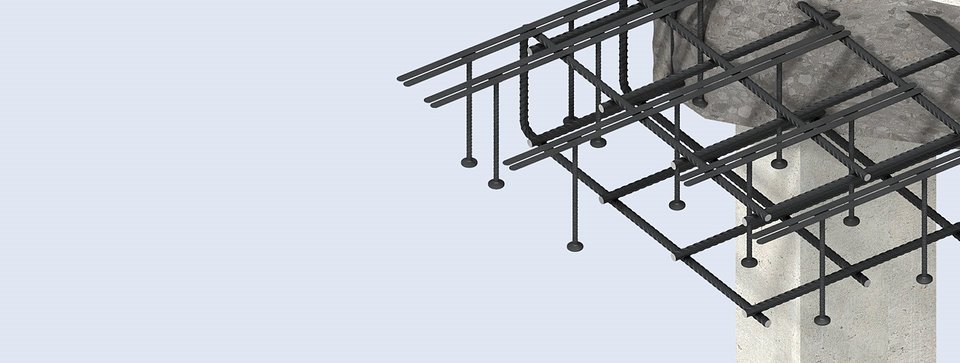
Punching Shear Reinforcement
Design Program
The latest version of Leviat's Ancon Shearfix software is 6.2.7
Ancon Shearfix: Design Software (ZIP, 8.93 MB)
See below for instructions on downloading and installing the software.
Please note, designs generated in any Shearfix software versions prior to 5.0 cannot be opened in version 5.0 or later. If you have old design files, we advise that you keep an older version of the software.
For information on the enhanced functionality offered by the latest versions, please click here.
Ancon Shearfix
Ancon Shearfix is designed to suit the specific requirements of each application.
Our design program simplifies the specification and ordering of a Shearfix System. This easy-to-use program allows the optimum design to be determined and generates a printable calculation sheet, a DXF file and a parts list of the specified layout. The program allows analysis to BS EN 1992 (Eurocode 2).
Solutions can be created for a wide range of column sizes, shapes and locations including columns offset from edges and corners.
Where there are openings close to the column, a section of the slab will be ineffective and perimeters will need to be reduced; the design program allows these reductions to be applied to each perimeter.
The design program requires the following information and is requested in a logical sequence as the user works through the 'input' tabs:
- Column shape (rectangular, circular and oval)
- Column dimensions
- Column location (interior, edge, external corner, re-entrant corner, wall corner, wall end)
- Dimension to concrete edge (for offset corner and edge columns)
- Slab thickness
- Concrete grade
- Reinforcement size and spacing
- Cover to reinforcement
- Size and location of slab openings
- Shear load
- Applied moments

Screenshot of the design program, including the 3D view, and the calculation sheet that is generated
Instructions for Downloading & Initial Use
By downloading this software you agree to Leviat's End User Licence Agreement.
Please follow these instructions when installing and using the program for the first time:
- Download the program above.
- Once you have completed the registration form, a zip file called 'Shearfix 6.2.7' will be made available for download. Save the file to your Desktop.
- Right-click this folder and select ‘Extract All’.
- Select your Desktop as the specified destination for the files. A second folder will be created called ‘Shearfix 6.2.7’. Double-click to open this folder.
- Double-click the file within this folder. This initiates the installation of the program. We recommend that users accept all default settings by clicking ‘Next’ as prompted. On the final screen choose to ‘Launch the Program Now’.
- The Shearfix program is now located in a folder called ‘ShearFix’ which can be found in Program Files on your hard drive. If selected during installation, a shortcut will now be on your Desktop. If not, to create a shortcut on your Desktop, right-click the file called ‘ShearFix’ and select ‘Send To Desktop’.
- The two folders called ‘Shearfix 6.2.7’ can now be deleted from your Desktop.
Please note
You must have ‘Administrator’ rights to your computer to install the program, and for initial access to the Help manual. You may require assistance from your IT support team.
Latest News
Leviat Expands Its Range of Non-Combustible Clips
Leviat, leading manufacturer of engineered construction solutions, has launched its second non-combustible clip to the range - the Ancon A1-S Insulation Retaining Clip. This new A1-rated, non-combustible clip has been specifically designed for use with Ancon flat wall ties, including SDB, SD21 and YDB.
New EPDs Enhance Transparency Across the Ancon Wall Ties & Restraints Portfolio
We are pleased to announce the addition of 9 new Environmental Product Declarations (EPDs) to support our Ancon product portfolio, giving specifiers, engineers, and contractors even greater clarity when selecting the right solutions for their projects.